
Professional Transcript Builder: Create Official Homeschool Transcripts with Confidence
College admissions deans consistently rank the high school transcript as the single most critical document in undergraduate evaluation, but an amateur spreadsheet can derail years of diligent homeschool work in seconds. If you're wondering how to choose the right Professional Transcript Builder to create official homeschool records accepted by colleges, you aren't alone. You already know the sheer stress of wrangling scattered grade sheets, decoding Carnegie units, and fearing that a minor calculation error might trigger an application rejection. After all, a transcript reflects true academic achievement only when tied to verified daily records.
You shouldn't have to battle clunky templates just to celebrate your teen's hard-earned milestones! Discover how to turn four years of homeschool coursework into an official, college-ready transcript using an intuitive digital builder that handles the complex math for you. Ahead, we'll break down essential grading legends, clear up dual GPA confusion, and show you how to generate a polished, audit-proof PDF with complete peace of mind.
Key Takeaways
- Learn how admissions committees evaluate homeschool candidates and why standardized credit accounting gives your student an immediate advantage.
- Leave fragile spreadsheets behind to avoid broken math formulas, typography errors, and formatting issues that delay application reviews.
- Discover how a modern Professional Transcript Builder effortlessly calculates both weighted and unweighted GPAs for honors, AP, and dual enrollment classes.
- Follow a simple, step-by-step blueprint to transform scattered high school coursework into an official, beautifully organized academic record in minutes.
- See how pairing day-to-day course tracking with secure document storage safeguards your student's credentials for college admissions and scholarships.
What Is a Professional Transcript Builder for Homeschoolers?
A Professional Transcript Builder is a specialized digital platform that translates independent coursework, co-op classes, and community college credits into standardized, college-ready academic documentation. Instead of forcing your family's unique educational journey into an inflexible document, it provides the precise structure higher education institutions expect. Admissions officers evaluate thousands of applicants each season; they look for standardized credit values, recognized course hierarchies, and transparent calculation methods. By automating grade weightings and credit tallies, dedicated software removes computational errors that trigger unnecessary application delays.
The Core Anatomy of an Official Academic Transcript
To pass admissions scrutiny, your student's record must contain specific structural pillars:
- Institutional and student identifiers: Clear legal student demographics, date of birth, official homeschool academy name, and projected or confirmed graduation date.
- Sequential course records: Rigorous academic titles organized by school year or subject area, distinctly marking honors, Advanced Placement, or dual enrollment work.
- Standardized credit and grading metrics: Carnegie unit credit values per course alongside a comprehensive grading scale legend and cumulative GPAs.
- Formal certification: A dedicated administrator signature and date line certifying that the record represents authentic completion under applicable state laws.
Parent-Issued Transcripts vs. Commercial School Transcripts
Can parents legally issue an official high school transcript? Absolutely! Under federal and state laws across all 50 states, homeschooling parents possess the legal authority to oversee secondary education, issue official transcripts, and grant diplomas. Higher education institutions, scholarship committees, and military recruiters accept parent-issued transcripts every single day.
A common misconception is that a transcript must carry third-party regional accreditation or a commercial umbrella school seal to be deemed legitimate. In reality, college admissions teams prioritize clarity, consistency, and academic rigor over commercial stamps. Utilizing an intuitive Professional Transcript Builder ensures your documentation matches the layout, typography, and mathematical standards of leading prep schools, presenting your teen's hard work with undeniable credibility.
Why Dedicated Transcript Software Outperforms Spreadsheets and Word Templates
Most homeschooling parents begin their high school journey using downloaded spreadsheet templates or text documents. While a DIY grid feels familiar at first, treating your transcript as an isolated, static document creates massive administrative headaches down the road. Real academic tracking isn't a one-time typing exercise; it's an evolving four-year story. When you use a modern Professional Transcript Builder, your records stay dynamically tied to your student's ongoing coursework rather than sitting trapped in a fragile spreadsheet.
The Hidden Risks of Manual Gradebook Spreadsheets
Free spreadsheets look convenient, but they introduce subtle hazards that can derail your college application timeline:
- Broken cell formulas: A single misplaced parenthesis in an average formula can quietly distort cumulative calculations across multiple semesters without warning.
- PDF export disasters: Gridlines that look tidy on a laptop screen often convert into clipped margins, misaligned columns, or awkward page breaks when exported for admissions portals.
- Accidental data overwrites: One accidental save over an unbacked file can permanently erase years of detailed elective logs, course descriptions, and provider notes.
Automated Accuracy and Collegiate Standard Layouts
Admissions committees review thousands of applications, and their digital document systems expect strict visual and mathematical consistency. Dedicated software formats your teen's achievements to match National Association of College Admission Counseling guidelines. Every margin, typography choice, and column header looks intentional and polished.
Whenever you update a course grade, the automated calculation engine recalculates cumulative credits and GPAs across every semester instantly. You never have to re-check complex math by hand or worry whether your student has satisfied graduation unit thresholds. Choosing an intuitive academic record keeping software bridges the gap between daily lesson tracking and official documentation. With a dedicated Professional Transcript Builder running in your corner, you eliminate clerical fatigue and present your student's high school journey with total poise.
Essential Features to Look for in a Professional Transcript Builder
Selecting the right digital platform means finding software that adapts to your homeschool approach, rather than the other way around. Modern high schoolers rarely take a cookie-cutter path. They mix rigorous home studies with online provider classes, community college dual enrollment, and intensive lab sciences. A top-tier Professional Transcript Builder accounts for this dynamic mix, transforming diverse coursework into clear, standardized records without forcing you into endless manual revisions.
Customizable GPA and Credit Weighting Engine
Colleges and scholarship boards evaluate grades under distinct criteria, making flexibility non-negotiable. Look for an engine that supports both standard 4.0 unweighted scales and 5.0 weighted tiers side by side:
- Rigorous course designations: Automatically award appropriate quality point bumps (such as 0.5 points for honors and 1.0 point for Advanced Placement or dual enrollment).
- Flexible credit values: Seamlessly handle full 1.0 Carnegie units (120 to 180 instruction hours) along with 0.5 semester units and fractional partial credits without throwing off cumulative tallies.
- Transparent grading legends: Display your specific grading scale criteria directly on the document so admissions readers instantly understand your baselines.
Seamless Integration with High School Record Keeping
Standalone form fillers treat a transcript as an isolated, last-minute sprint. That design completely disconnects your final document from the daily learning that built it! The most effective solution links your broader academic record keeping into one smooth workflow. Why type four years of history into a blank form when your daily logs can populate it automatically?
A genuinely helpful Professional Transcript Builder bridges the gap between daily operations and final documentation by offering:
- Direct course and grade synchronization: Your finished course completions and final marks flow directly into your official layout without re-entry errors.
- Curriculum and course description storage: Keep comprehensive syllabi, reading lists, and lab summaries organized alongside primary course titles for selective college requirements.
- Centralized document storage: Safely preserve dual enrollment grade slips, standardized score sheets, and official certificates right beside your academic records for rapid retrieval whenever an opportunity calls.
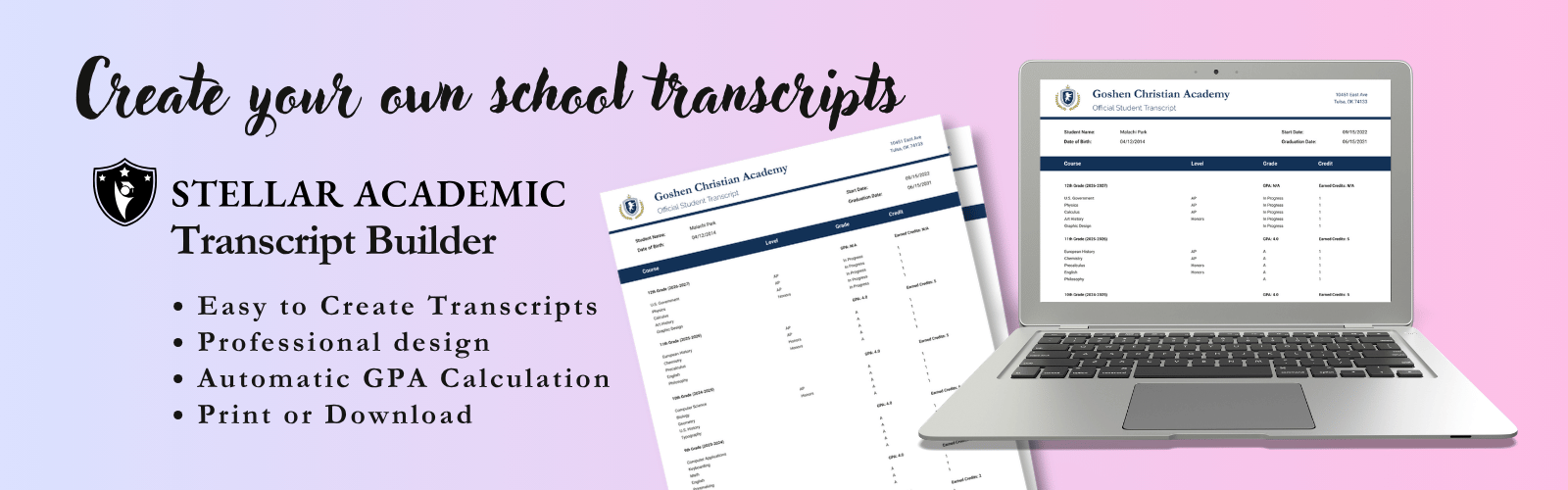
Step-by-Step: How to Build a College-Ready Transcript in Minutes
Transforming four years of notebooks and co-op syllabi into an official admissions document doesn't have to take weeks of stressful formatting. With a structured approach and an intuitive Professional Transcript Builder, you can move from scattered notes to an official, college-ready credential in five straightforward steps:
- Input primary school and student details: Enter your teen's full legal name, date of birth, formal homeschool academy title, and anticipated graduation date.
- Log coursework chronologically: Enter classes by academic year, tagging course delivery levels like honors, Advanced Placement, or local community college enrollment.
- Establish the grading key: Confirm your baseline grading scale criteria and enter final marks so the platform's calculation engine can compute exact weighted and unweighted figures.
- Record testing milestones: Add standardized test scores, high-impact extracurricular leadership roles, or state-specific diploma endorsements.
- Audit and certify: Review the layout in your interactive dashboard preview, generate your high-resolution PDF, and sign the official certification line.
Organizing Courses by Subject or Academic Year
Should you list courses by academic year or group them by subject discipline? A chronological layout works best for most high schoolers because it instantly shows academic growth and rising course rigor over time. Grouping by subject makes sense if your student completed their requirements out of sequence or finished high school early. Regardless of the visual layout you pick, always use recognizable secondary course titles. Swap informal home study names like "Kitchen Chemistry" for standardized titles like "Chemistry with Lab" so admissions reviewers immediately recognize the coursework.
Validating Course Hours and Carnegie Units
Before exporting your final document, you'll want to audit your credits against standard secondary education metrics:
- Carnegie unit validation: Verify that each full 1.0 credit reflects 120 to 180 hours of academic instruction, while 0.5 credits reflect 60 to 90 hours.
- Lab science compliance: Make sure laboratory sciences include 30 to 45 hours of hands-on experimental coursework within that total instructional time.
- Graduation prerequisite checks: Confirm your cumulative credit tallies meet typical college admissions baselines, which generally call for 20 to 24 total high school credits across core subjects.
Instead of manually auditing credits on scraps of paper, you can use our dynamic Professional Transcript Builder to track progress in real time, run automated credit checks, and export polished PDFs with total confidence.
Building Your Academic Legacy with Stellar Academic
Pulling four years of homeschool excellence together should feel like a victory lap, not an administrative chore. Stellar Academic brings your family's hard work into sharp focus through an encouraging, modern platform designed by educators who know homeschool counseling inside and out. Rather than wrestling with detached form fillers or frantically gathering paperwork during senior year, you can oversee your student's entire high school path in one unified space.
From Daily Lessons to Official Transcripts
How wonderful would it feel to say goodbye to senior-year panic? When you track courses, grades, and attendance right inside your account, those everyday victories automatically feed directly into your permanent records. Our Professional Transcript Builder transforms that steady daily progress into an immaculate, college-ready document with just a few clicks!
Because the platform was built by educators familiar with counseling homeschool families, you get the exact professional layout admissions deans expect without losing your family's independent spirit. Everything your student accomplishes remains supported by verified records. Whether your teen is aiming for a four-year university, a competitive scholarship, or direct career entry, they will step into their future backed by pristine, audit-proof credentials.
Start Building Your Official Transcript Today
Administrative fatigue shouldn't overshadow the joy of watching your student thrive. With our interactive dashboard, you can monitor core graduation requirements, spot missing credits, and review cumulative progress at a single glance. No more guessing whether you covered enough math or logged adequate lab hours!
Your student's hard work is safely protected in dedicated cloud document storage for a lifetime of secure access. Whenever an admissions office, employer, or scholarship board requests official documentation, your records are ready to export immediately. Are you ready to replace paperwork stress with modern confidence? Build your professional transcript with Stellar Academic and celebrate your student's academic journey with total peace of mind!
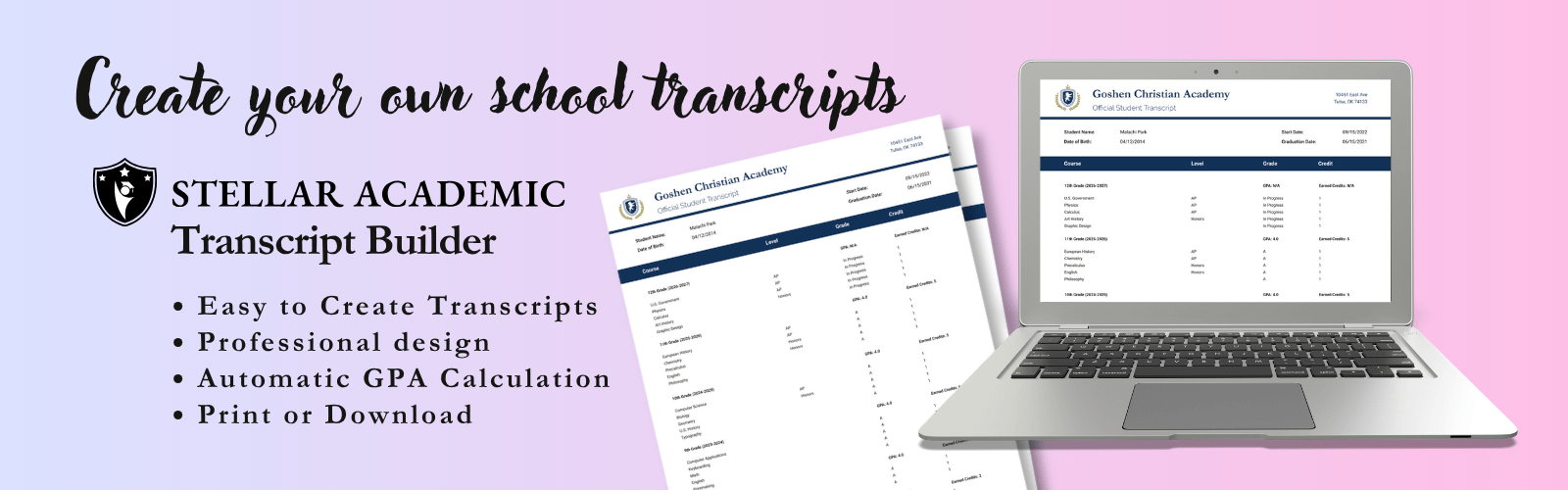
Take the Next Confident Step in Your Homeschool Journey
Graduating a high schooler is a milestone worth celebrating, not stressing over. When you replace fragile spreadsheet formulas with an intuitive Professional Transcript Builder, you give your student a huge advantage. Standardized credit weighting, precise Carnegie units, and clean collegiate formatting ensure admissions officers immediately see the true depth of your teen's education.
Designed by educators with real counseling experience, Stellar Academic brings course tracking, grading, and official documentation into one seamless ecosystem. Your records remain organized, compliant, and safely protected in secure cloud document storage for years to come. Why spend another weekend wrestling with clunky templates when you can focus on cheering your graduate across the finish line? Start creating your official high school records with Stellar Academic and celebrate your student's future with total peace of mind!
Frequently Asked Questions
Do colleges accept transcripts created with a homeschool transcript builder?
Yes, colleges and universities across the nation routinely accept parent-issued transcripts created with a digital builder. Parents hold the legal authority in all 50 states to oversee secondary education and certify graduation. Admissions teams look for standardized presentation, clear course titles, credit values, and an administrator signature. Using a Professional Transcript Builder ensures your document complies with standard admissions formats, eliminating red flags that trigger unnecessary delays.
How are weighted GPAs calculated for honors and dual enrollment courses?
Weighted GPAs add quality points to standard 4.0 scale marks to reflect rigorous advanced coursework. Standard courses use a baseline where an A equals 4.0 points. Honors classes typically receive an added 0.5 points, making an A worth 4.5. Advanced Placement and college dual enrollment classes add a full 1.0 point, making an A worth 5.0. Displaying both unweighted and weighted GPAs side by side offers admissions officers complete clarity.
What is the difference between organizing a transcript by subject versus school year?
A school-year transcript lists courses chronologically by grade level, while a subject-based transcript groups credits by discipline, such as English or Mathematics. Chronological layouts are standard for most college applications because they highlight grade-level progression and academic growth over four years. Subject-based formats work wonderfully if your student completed high school coursework ahead of schedule or took non-traditional gaps. Choose the structure that showcases your teen's achievements best.
How do I convert homeschool instructional hours into high school course credits?
You convert instructional hours into credits using the standard Carnegie unit benchmark. One full high school credit represents roughly 120 to 180 total hours of dedicated study, reading, and instruction. For a semester-long class or half-credit elective, count between 60 and 90 hours. Laboratory sciences generally target the higher end of the range, around 150 to 180 hours, to ensure students log sufficient hands-on experiment time alongside classroom theory.
Can I update a high school transcript after it has been finalized and printed?
Yes, you can update your records at any time as your student completes new coursework or dual enrollment grades arrive. High school records remain active working documents until final graduation. Using a dynamic Professional Transcript Builder allows you to modify grades, add senior-year spring courses, and export updated official copies without retyping four years of history. Just remember to send updated official copies if admissions offices request mid-year reports.
What records should I store alongside my student’s high school transcript?
You should store comprehensive course descriptions, external provider grade reports, standardized test results, and verified attendance logs alongside the official transcript. Admissions counselors and scholarship committees frequently request detailed syllabi, textbook lists, and dual enrollment college transcripts to verify curriculum rigor. Keeping these essential supporting documents together in secure cloud document storage ensures you can easily supply extra verification whenever a program requests it.
Need an Official Transcript? Create a Transcripts with Stellar Academic
Start your free trial of Stellar Academic today — no credit card required, just sign up and see the difference for yourself!

Stellar Academic is an education technology company dedicated to helping families manage the homeschool experience with clarity and confidence. Our platform brings together course management, grading, attendance tracking, and transcript generation into one intuitive system — giving parents the tools of a traditional school without the administrative burden.